In short
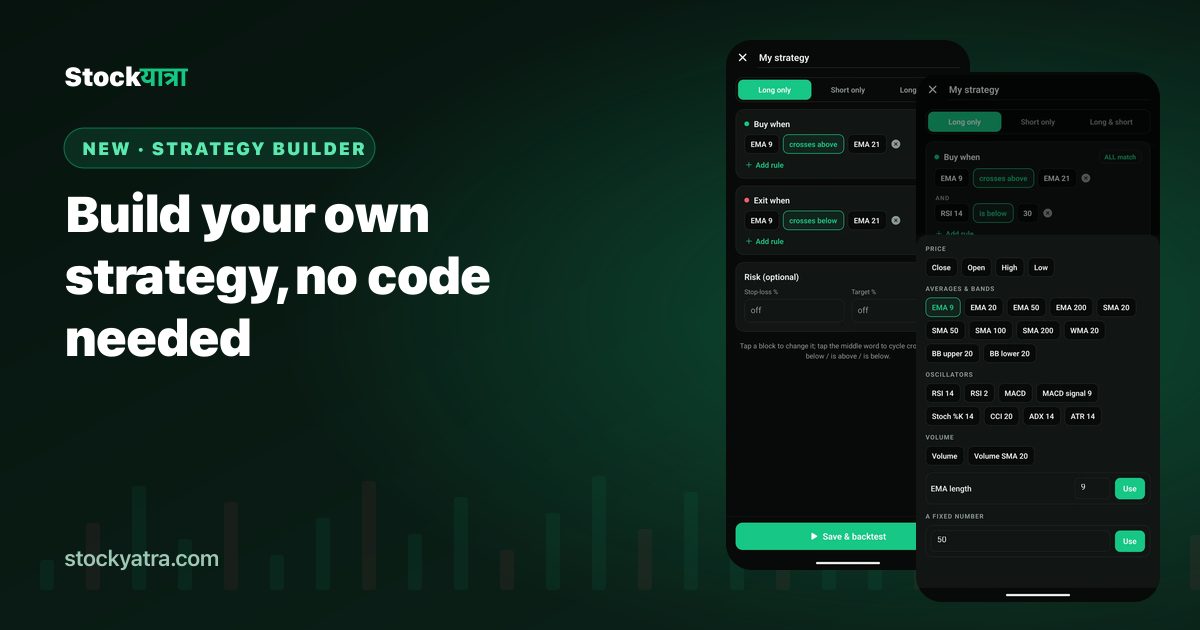
- In Pro Chart, open My builds → Build your own strategy.
- Each rule has three blocks: something, crosses above / crosses below / is above / is below, something else.
- Join rules with ALL match or ANY match, for long only, short only, or both.
- Add an optional stop-loss % and target %, then Save & backtest.
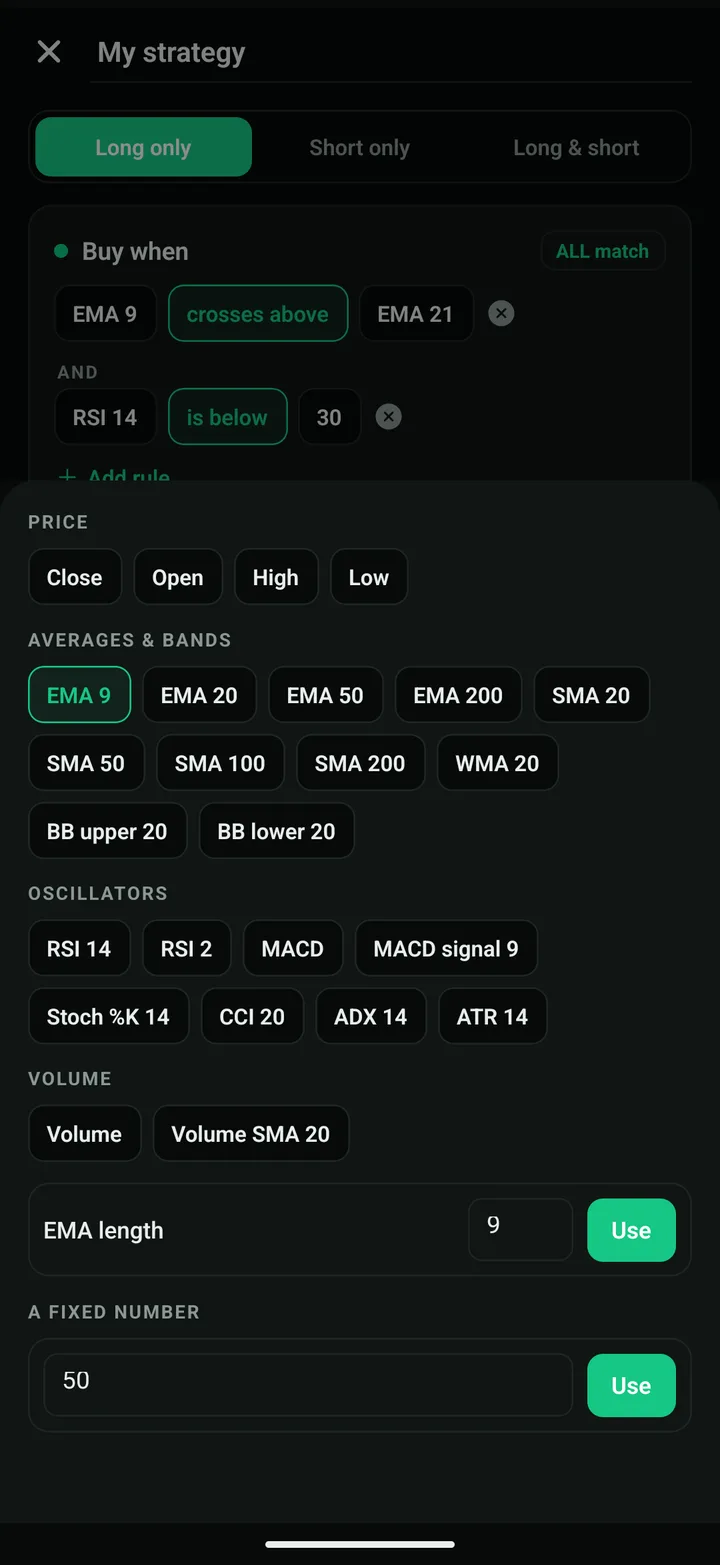
How a rule works
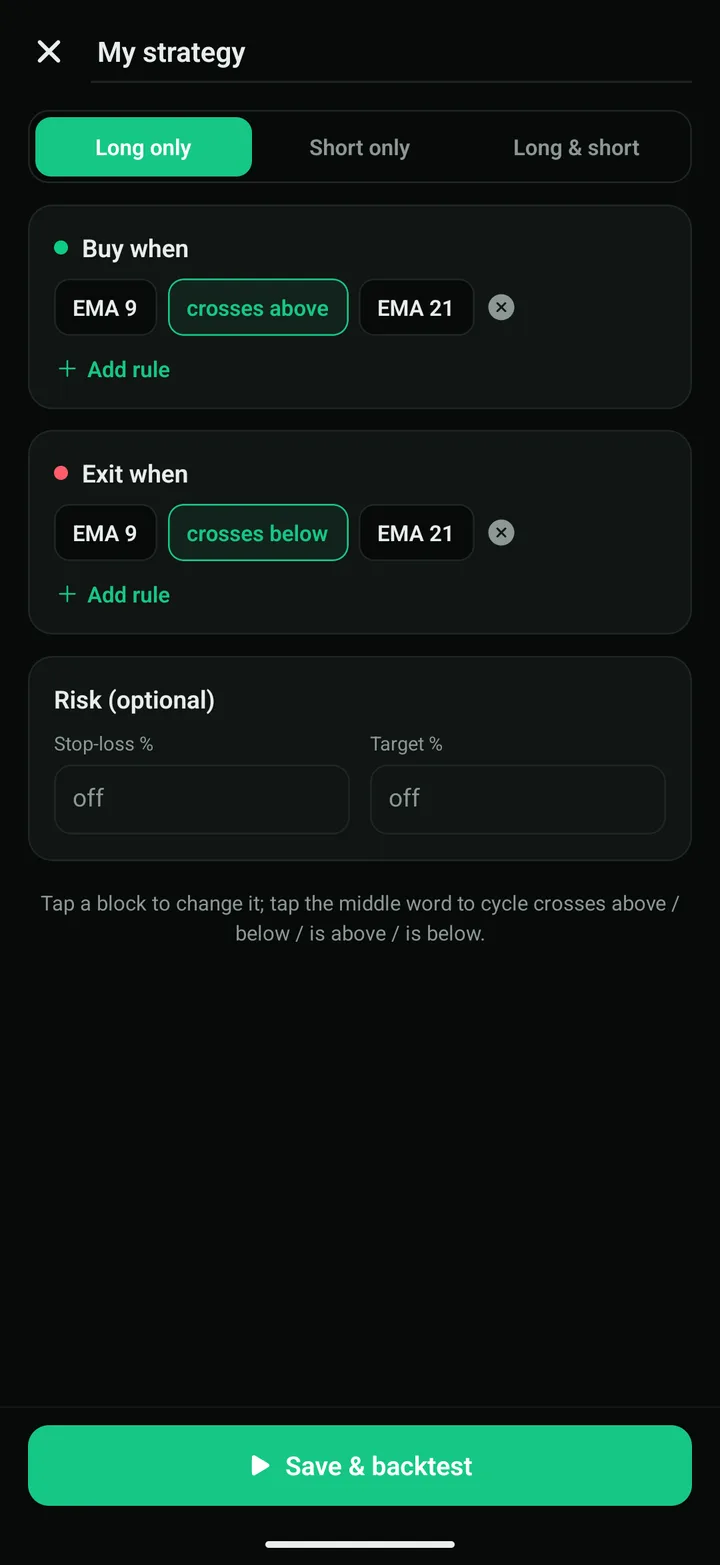
Every rule reads like a sentence: EMA 9 crosses above EMA 21. Tap the first or last block to pick price (close, open, high, low), an indicator (EMA, SMA, WMA, Bollinger bands, RSI, MACD, Stochastic, CCI, ADX, ATR, volume) or a fixed number. Tap the middle word to cycle through crosses above, crosses below, is above and is below.
"Crosses" fires only on the bar where it happens. "Is above" stays true for as long as it is true, which is useful as a filter.
Three builds to try
| Build | Buy when | Exit when | Risk |
|---|---|---|---|
| Trend follower | EMA 9 crosses above EMA 21 and Close is above SMA 200 | EMA 9 crosses below EMA 21 | Stop 3% |
| Oversold bounce | RSI 14 crosses above 30 | RSI 14 crosses above 60 | Stop 2%, target 4% |
| Band breakout | Close crosses above BB upper 20 and Volume is above Volume SMA 20 | Close crosses below SMA 20 | Stop 2.5% |
Stops and targets
The stop-loss closes a trade when it falls the chosen percent from entry; the target closes it when it gains the chosen percent. After a stop or target, the build waits for a fresh entry signal before trading again. Leave either blank to switch it off.
If it says "no trades yet"
Your entry rules never matched on these bars. Use ANY match instead of ALL, loosen a number (RSI below 35 instead of 30), or switch to a longer time frame.
Key takeaways
- Rules read like sentences and are built by tapping.
- ALL match is strict, ANY match is loose.
- A trend filter often matters more than the entry.
- Builds are saved on your phone and backtested with fees.
Summary in Nepali (नेपालीमा सारांश)
Pro Chart को My builds मा कोड नलेखी आफ्नै रणनीति बनाउन सकिन्छ: जस्तै "EMA 9 ले EMA 21 लाई माथि काट्दा किन्ने"। नियमहरू ALL वा ANY ले जोड्नुहोस्, stop-loss र target थप्नुहोस्, अनि Save & backtest थिच्नुहोस्।
Build your first strategy
StockYatra is free on the App Store and Google Play. Already installed? The October update arrives automatically the next time you open the app. You start with 10,000 free virtual coins; prices are simulated and coins are never real money.
More from the October update
- Everything new in the October 2026 update
- Pro Chart: 41 strategies, backtested on your chart
- Pine Script in the StockYatra app
- My Analysis: your trading report card
- Global chat is back
- 100 new courses in English, Nepali and Hindi
- Pro Chart: all 41 strategies
- Full changelog
StockYatra is an education app, not a broker or adviser. Prices on its practice market are simulated around each stock's real-world level, coins are virtual, and nothing here is a recommendation to buy or sell any security. Backtests describe the past and do not predict future results.