In short
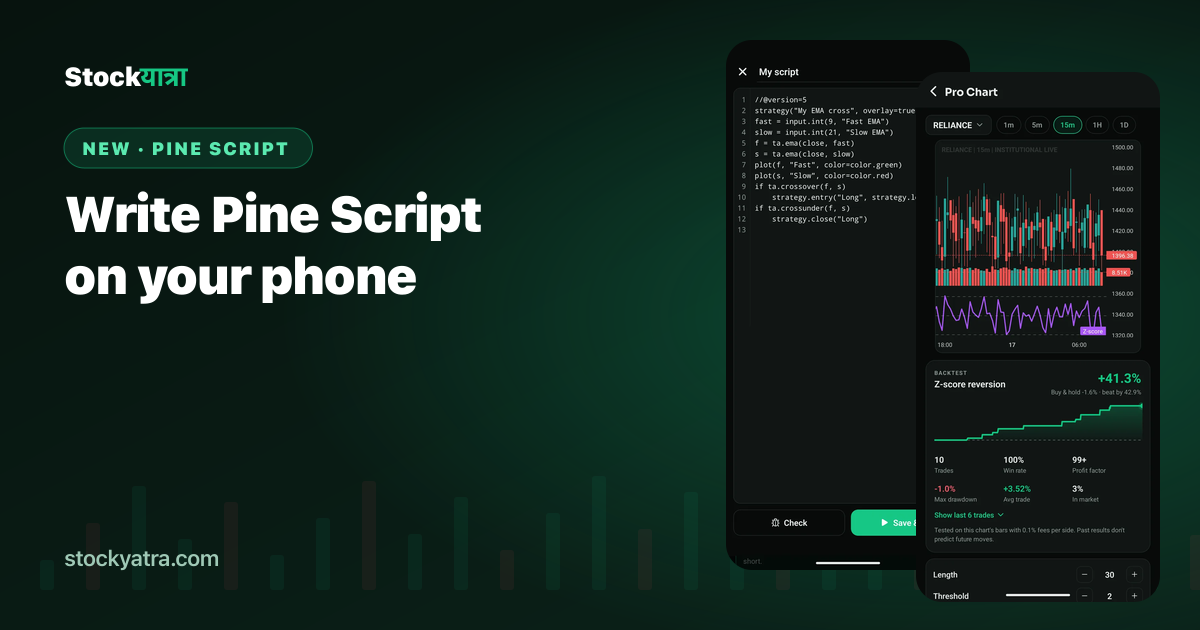
- Pro Chart has a Pine Script editor with line numbers.
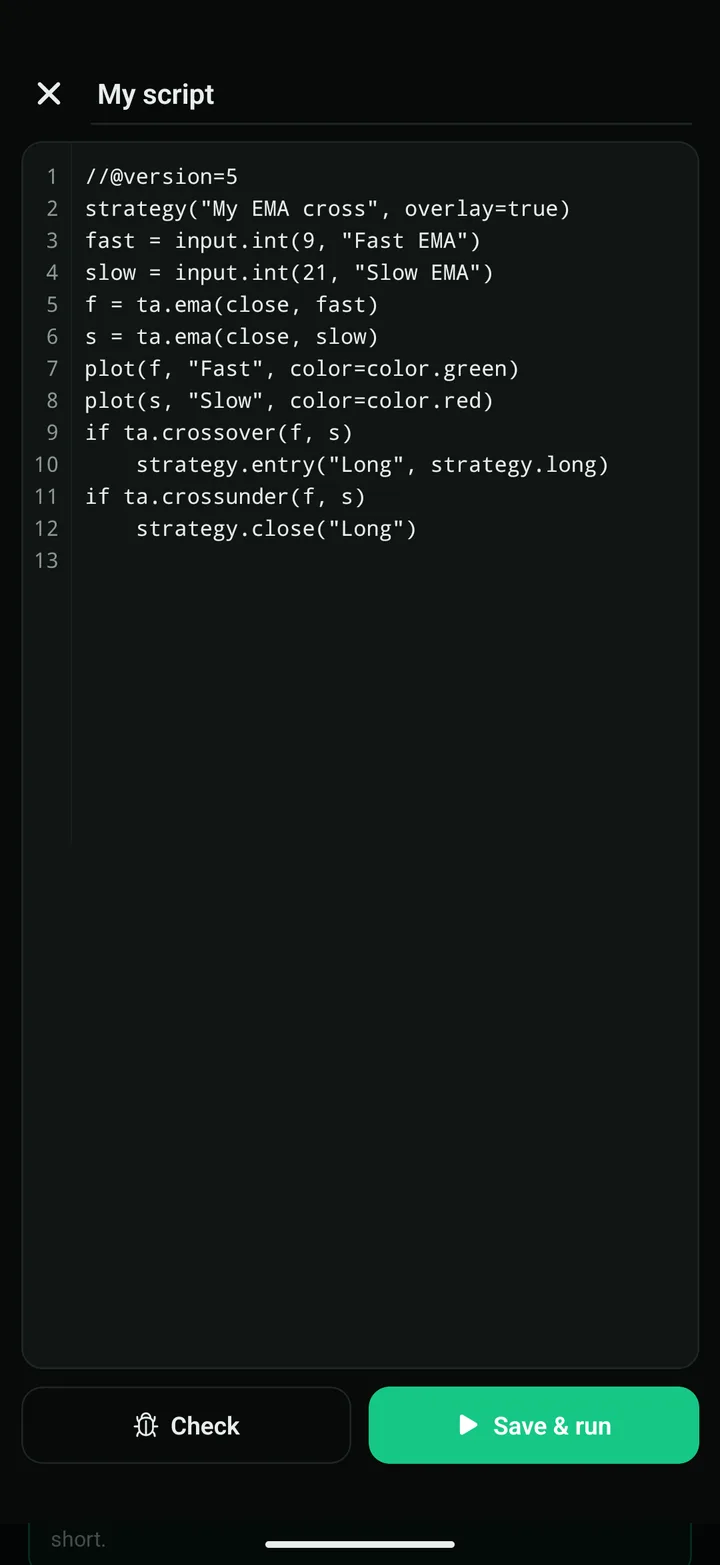
- Tap Check to see any error by line, then Save & run to draw it on the chart.
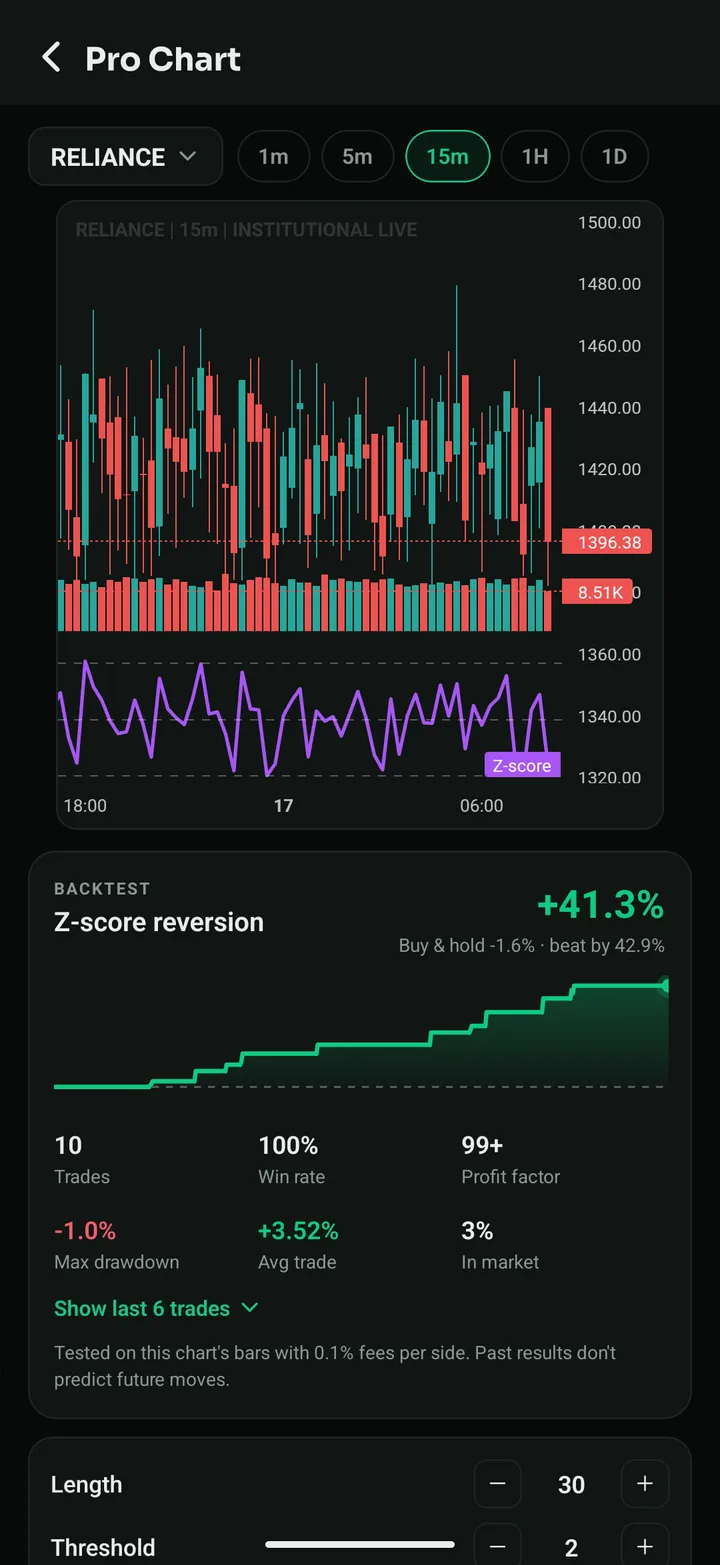
- Strategy scripts get a full backtest; indicator scripts draw plots and markers.
- A practical subset of Pine Script v5, plus 15 ready-made scripts to run or copy.
Pine Script is the small language many traders use to describe indicators and strategies. It is a good way to learn, because you have to say exactly what you mean: when to enter, when to exit, and what to plot. StockYatra now runs it right on your phone.
Your first script
This is the library's EMA crossover. It goes long when the 9 EMA crosses above the 21 EMA and closes when it crosses back:
//@version=5
strategy("EMA Crossover", overlay=true)
fastLen = input.int(9, "Fast EMA", minval=2, maxval=100)
slowLen = input.int(21, "Slow EMA", minval=3, maxval=300)
fast = ta.ema(close, fastLen)
slow = ta.ema(close, slowLen)
plot(fast, "Fast EMA", color=color.blue)
plot(slow, "Slow EMA", color=color.orange)
if ta.crossover(fast, slow)
    strategy.entry("Long", strategy.long)
if ta.crossunder(fast, slow)
    strategy.close("Long")
Open Pro Chart → Pine Script, tap the copy icon on EMA Crossover, change 9 to 12, and tap Save & run. The new lines and arrows appear on the chart, with the backtest underneath.
Errors you can understand
Tap Check before you run. If something is wrong you get the line number and a plain message, for example Line 13: "foo" isn't defined. Declare it first, e.g. foo = close. Fix the line and check again.
What is supported
| Area | Supported |
|---|---|
| Script types | indicator(), strategy() with overlay= |
| Inputs | input.int, input.float, input.bool (title, minval, maxval, step) |
| Variables | =, var, :=, +=, tuples like [m, s, h] = ta.macd(...) |
| Logic | if / else if / else, for … to, ternary ?:, and / or / not, history like close[1] |
| Indicators | ta.sma, ema, wma, rma, hma, vwma, rsi, macd, stoch, cci, mfi, wpr, atr, stdev, bb, supertrend, vwap, obv, dmi, highest, lowest, change, roc, crossover, crossunder, pivothigh, pivotlow, barssince, valuewhen and more |
| Drawing | plot, hline, plotshape, plotchar, colours with color.new and hex |
| Orders | strategy.entry, strategy.close, strategy.close_all, strategy.exit with stop and limit |
Not supported yet: your own functions (=>), switch, while, and types, methods or imports. These give a clear "not supported" message.
The 15 library scripts
| Script | Type |
|---|---|
| EMA Crossover | strategy |
| RSI Reversal | strategy |
| MACD Signal Cross | strategy |
| Bollinger Mean Reversion | strategy |
| Supertrend Flip | strategy |
| Donchian Breakout | strategy |
| Golden Cross | strategy |
| ATR Trailing Stop | strategy |
| ADX Trend Filter | strategy |
| VWAP with Bands | indicator |
| Stochastic %K %D | indicator |
| Momentum (ROC) | indicator |
| Volume Spike Finder | indicator |
| CCI Zones | indicator |
| Pivot Highs & Lows | indicator |
Key takeaways
- Pine Script v5 subset runs in the app, free.
- Check shows errors by line before you run.
- Strategies get a backtest; indicators draw plots and markers.
- 15 scripts to run or copy.
Summary in Nepali (नेपालीमा सारांश)
StockYatra को Pro Chart मा अब फोनमै Pine Script लेख्न सकिन्छ। Check थिच्दा गल्ती कुन लाइनमा छ भनेर देखाउँछ, Save & run थिच्दा चार्टमा देखिन्छ र ब्याकटेस्ट पनि आउँछ। सुरुमा प्रयोग गर्न १५ वटा तयारी स्क्रिप्ट छन्।
Write your first script
StockYatra is free on the App Store and Google Play. Already installed? The October update arrives automatically the next time you open the app. You start with 10,000 free virtual coins; prices are simulated and coins are never real money.
More from the October update
- Everything new in the October 2026 update
- Pro Chart: 41 strategies, backtested on your chart
- Build your own trading strategy without code
- My Analysis: your trading report card
- Global chat is back
- 100 new courses in English, Nepali and Hindi
- Pro Chart: all 41 strategies
- Full changelog
StockYatra is an education app, not a broker or adviser. Prices on its practice market are simulated around each stock's real-world level, coins are virtual, and nothing here is a recommendation to buy or sell any security. Backtests describe the past and do not predict future results.