In short
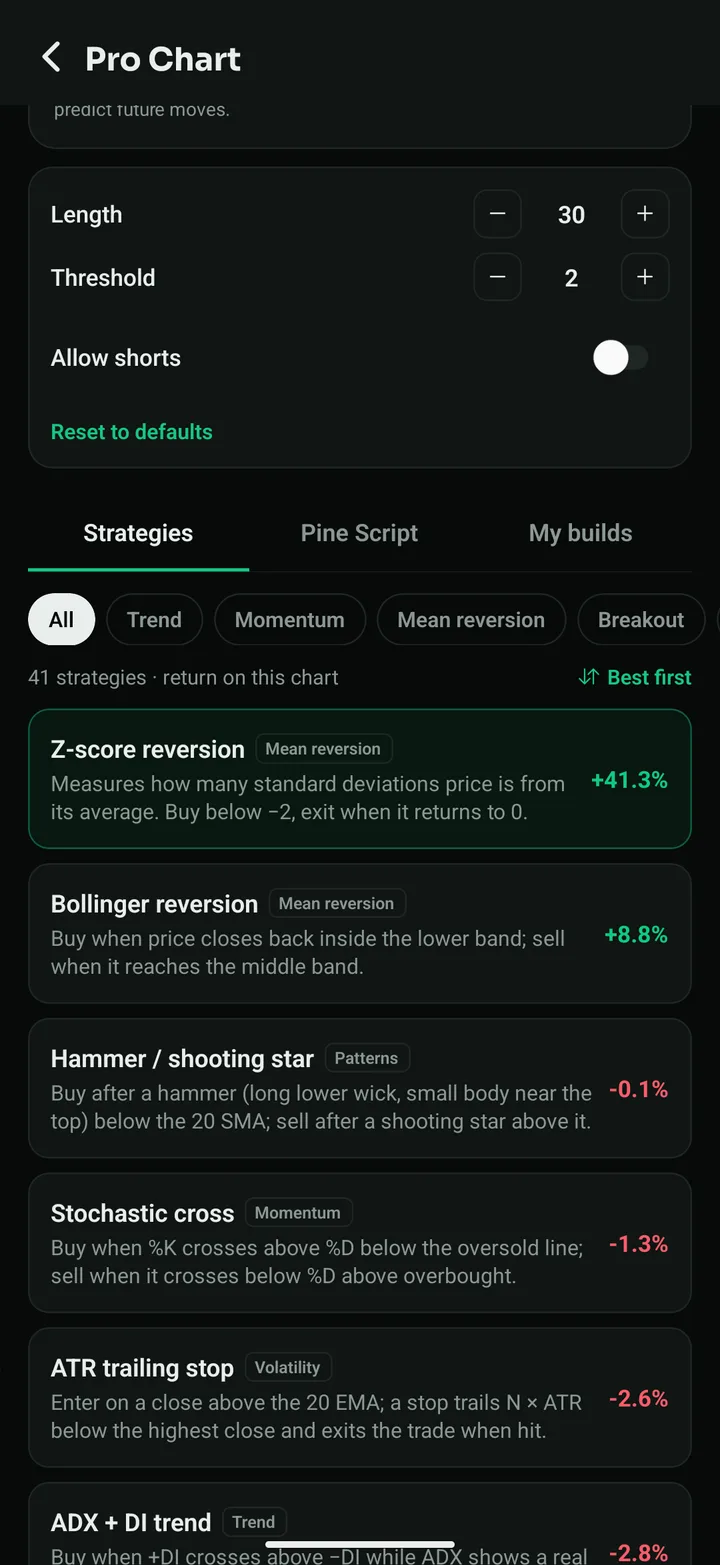
- Pro Chart: 41 prebuilt strategies, a no-code builder and Pine Script, each backtested on the chart you are looking at.
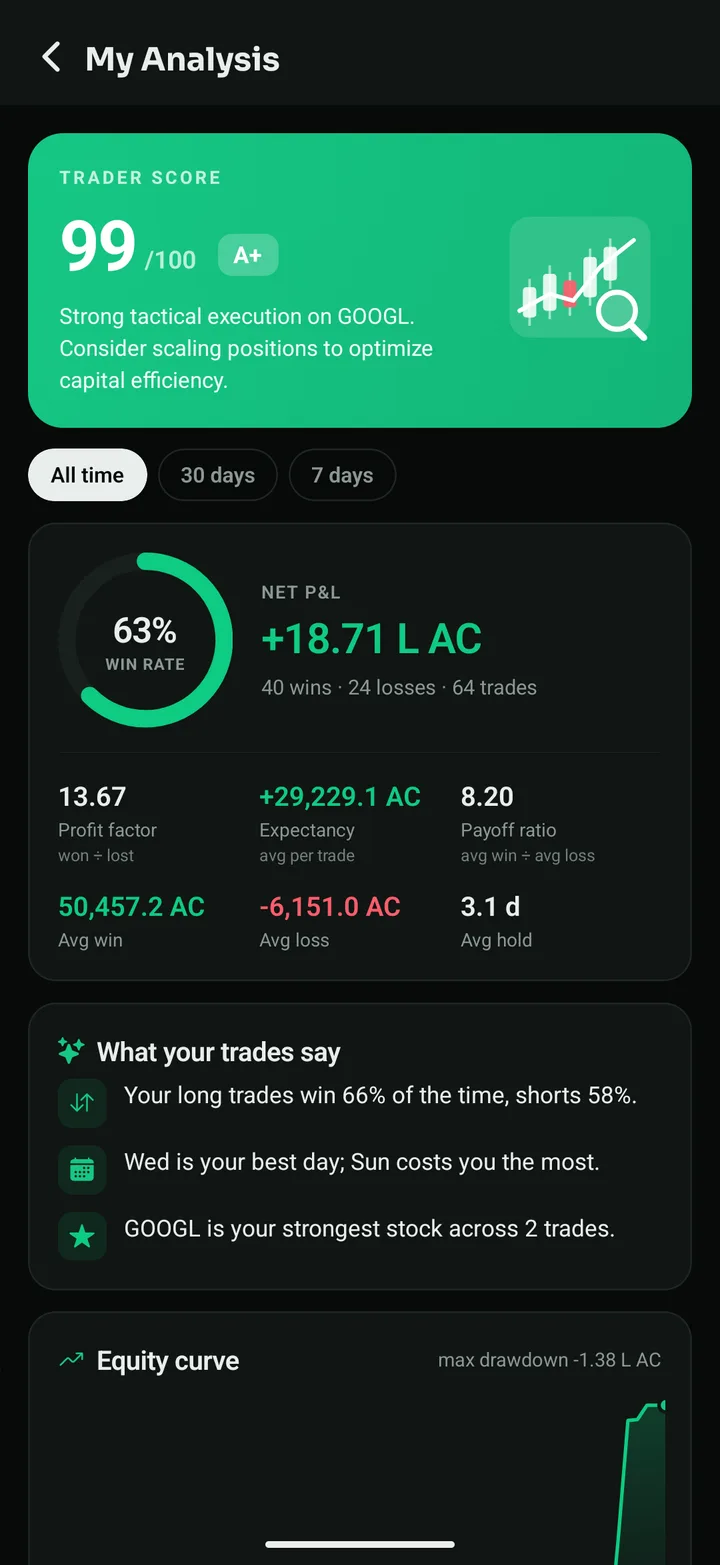
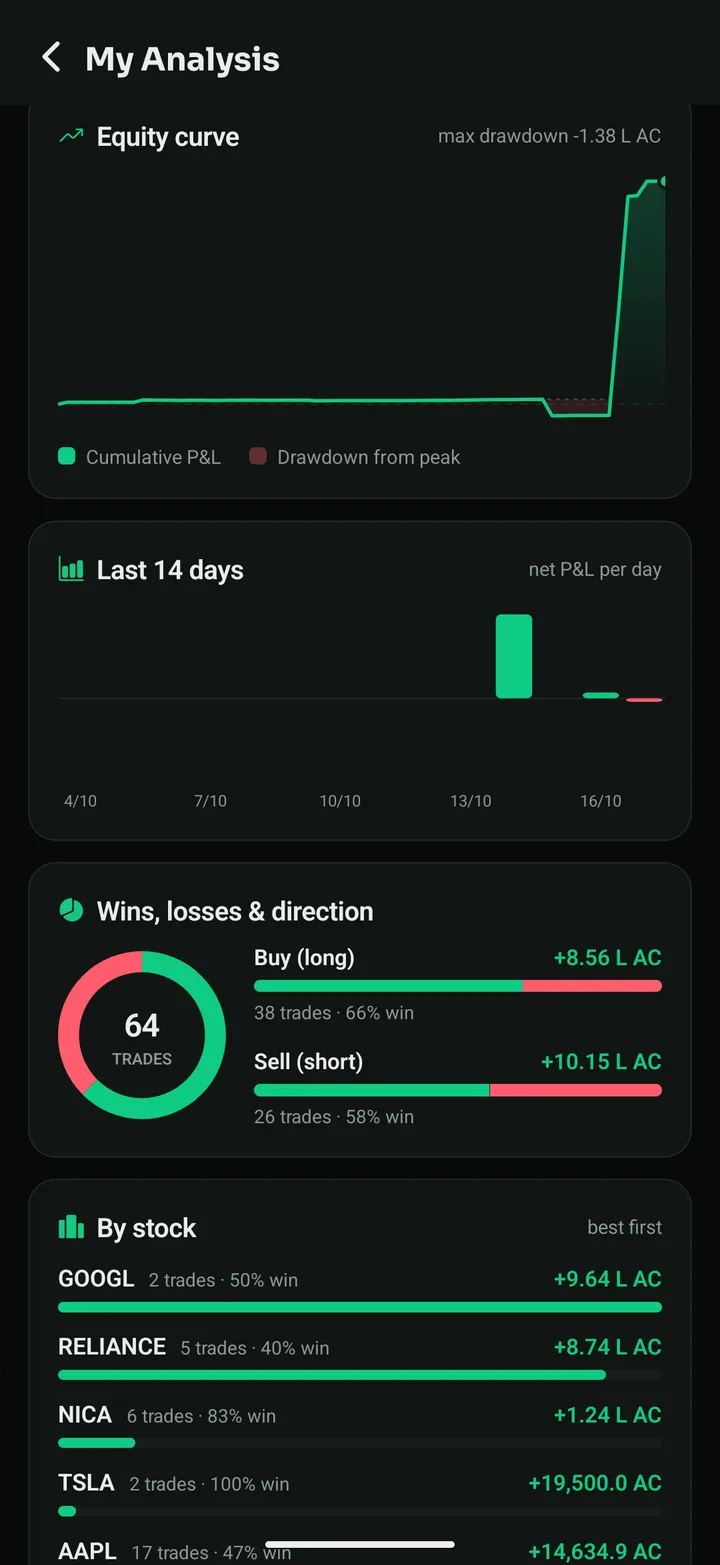
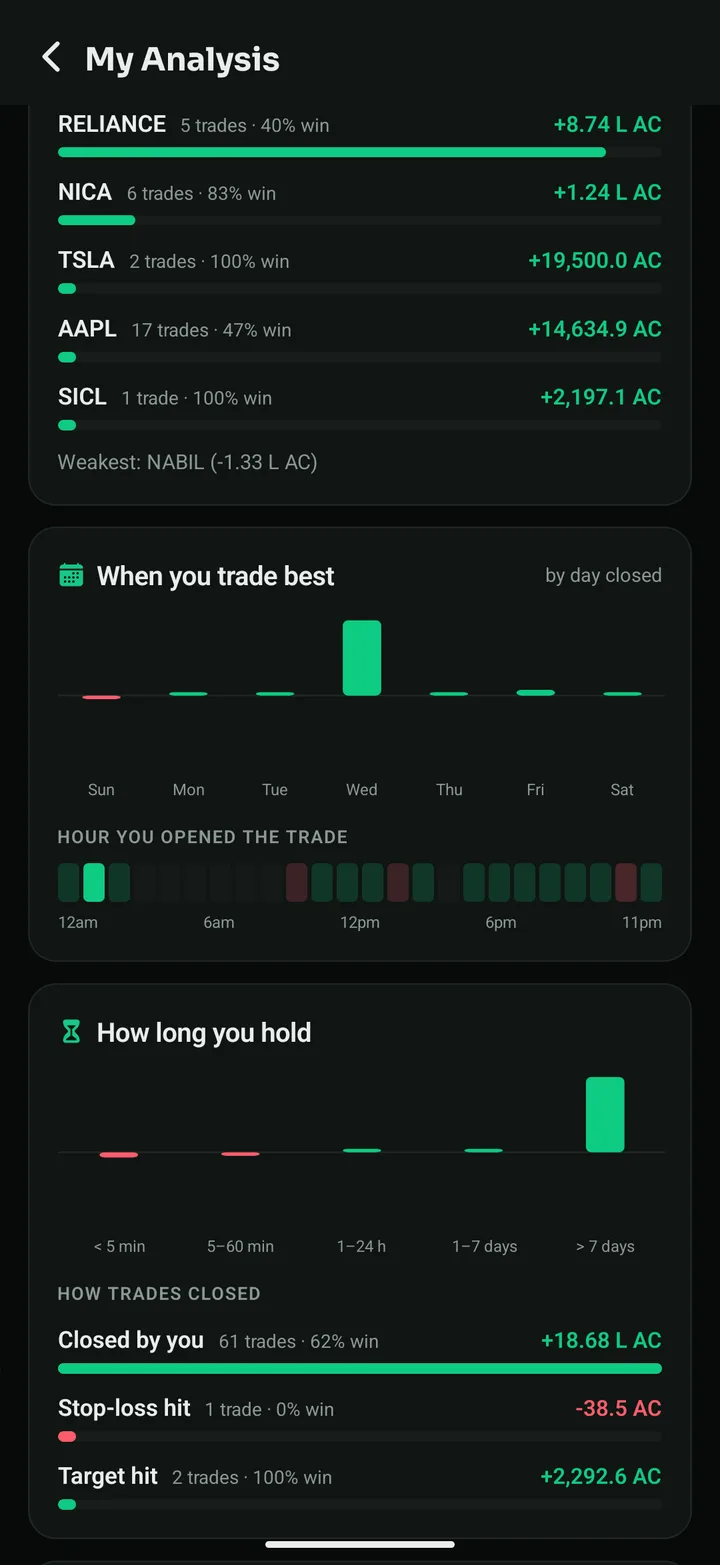
- My Analysis is now a report card: a trader score, equity curve, best days and hours, and insights about your habits.
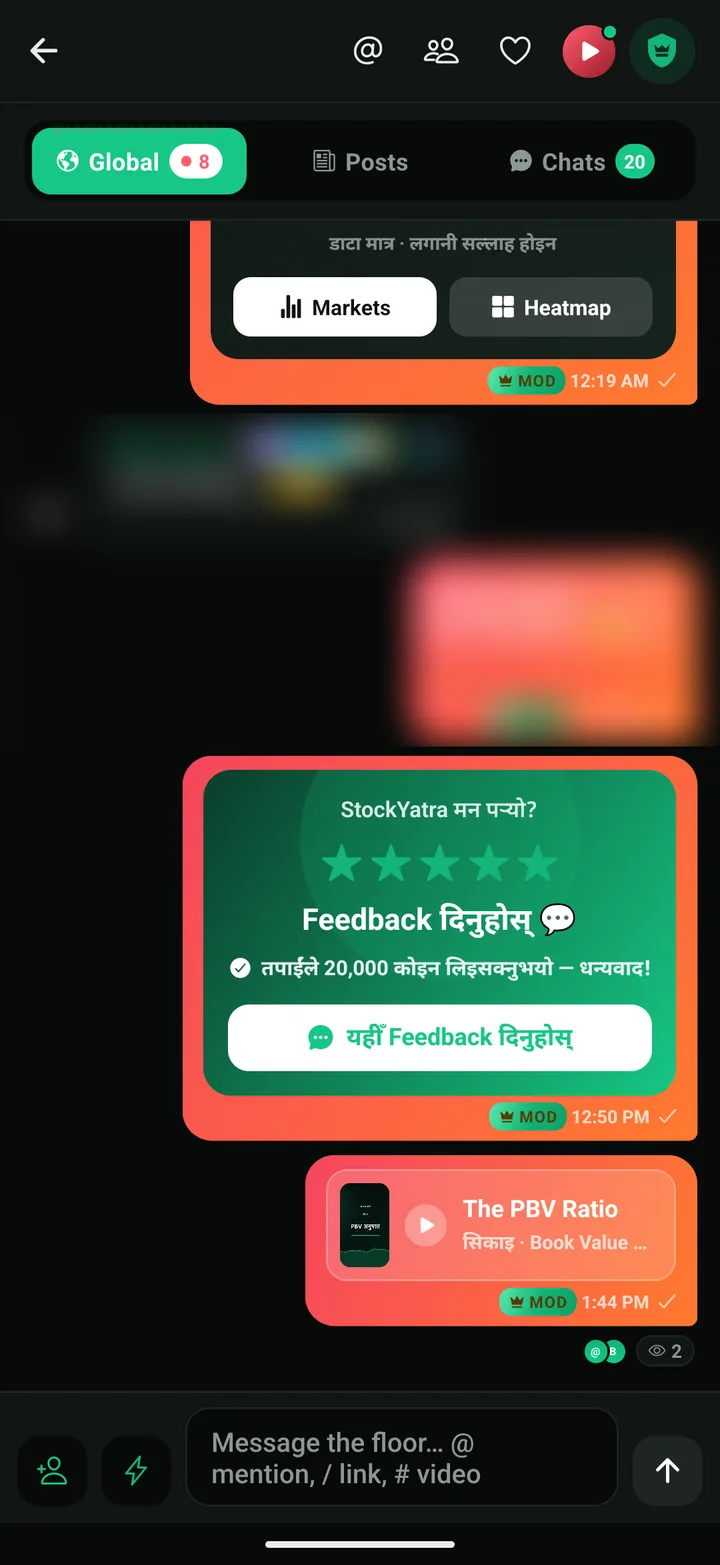
- Global chat is back beside Posts and Chats, for verified members.
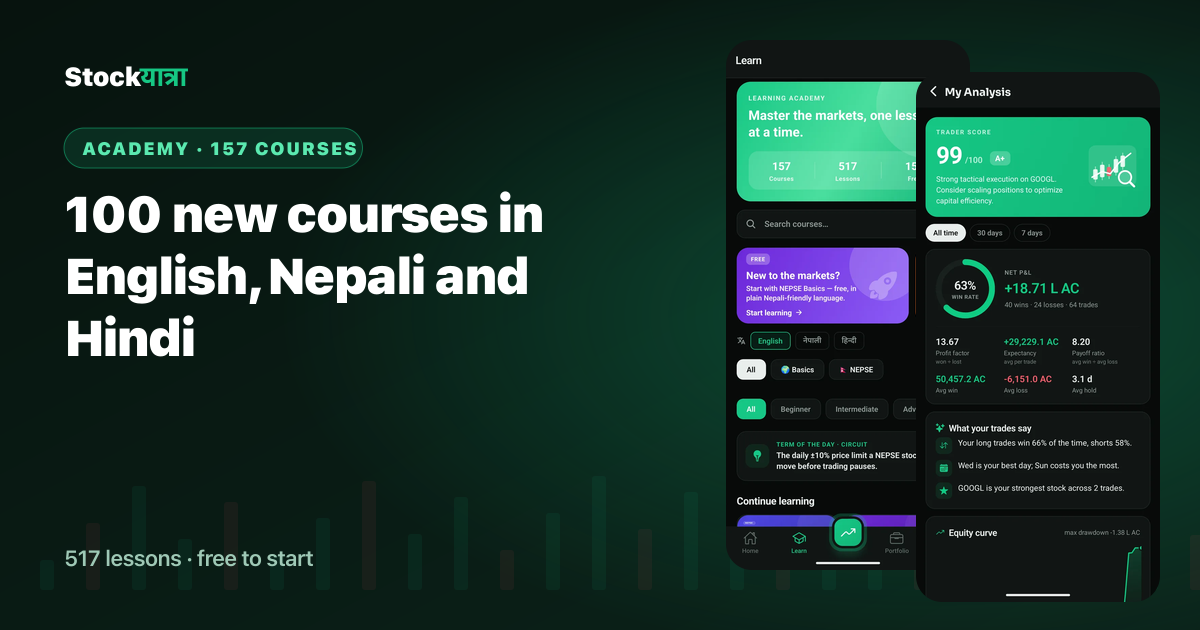
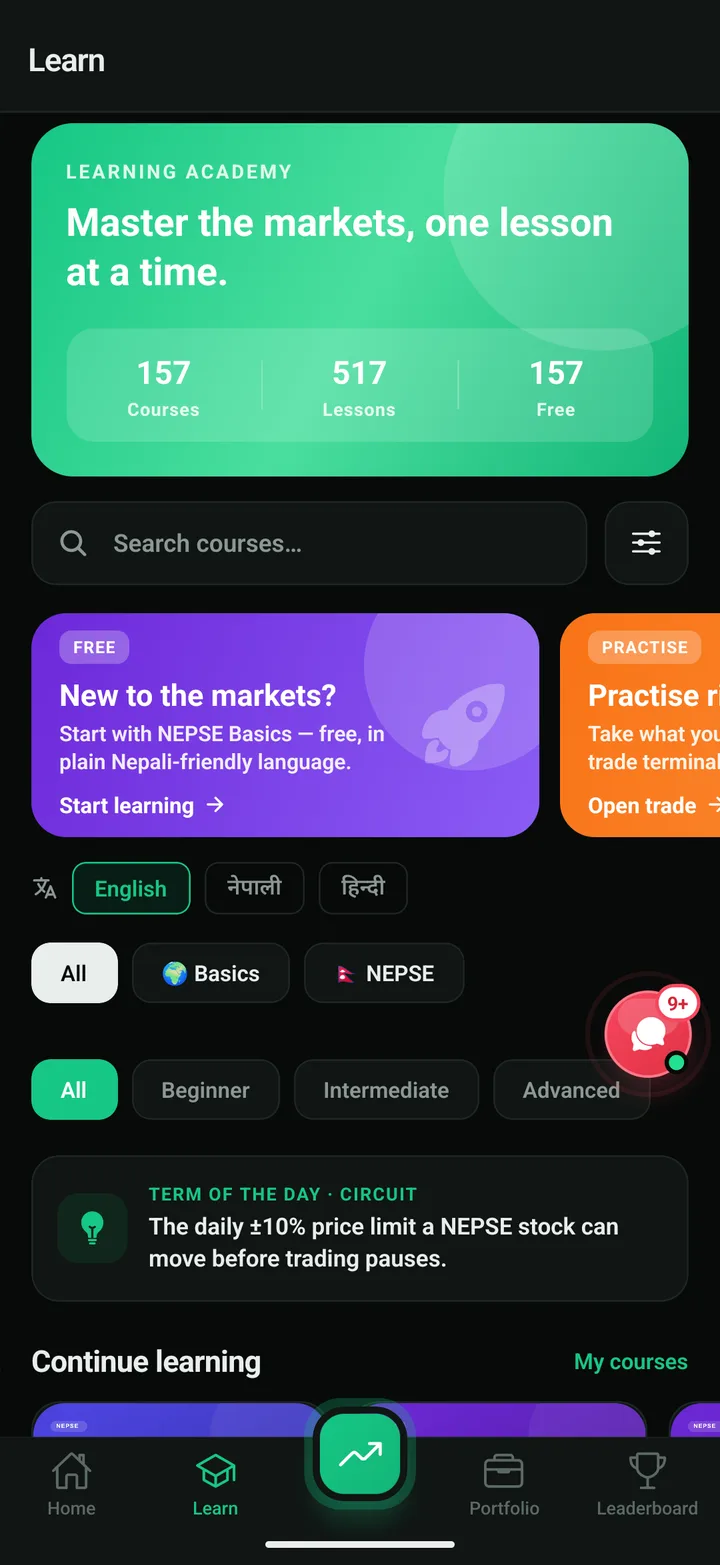
- 157 courses, 517 lessons in English, नेपाली and हिन्दी, all free to start.
- A lighter Home that follows your country's market, real order types, a trade journal and a calmer design.
Over the last ten days we shipped more to StockYatra than in any month before. Nothing here needs a new download: if you already have StockYatra 2.1, the update arrives on its own the next time you open the app. This is the tour, screen by screen.
1. Pro Chart: test an idea before you risk a coin
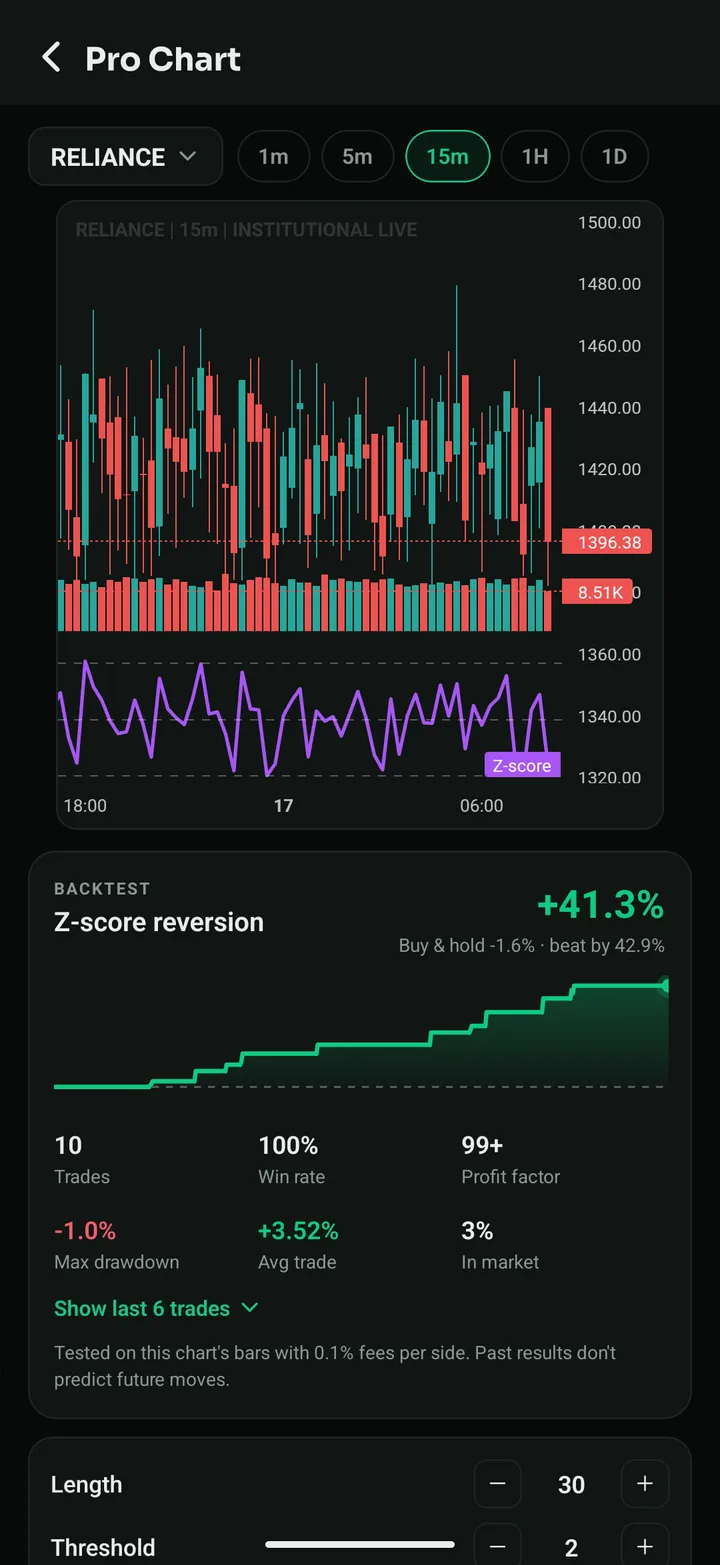
Open the side menu and tap Pro Chart. Pick any NEPSE, NSE or US stock and a time frame from 1 minute to daily, then choose one of three ways to test an idea:
- 41 prebuilt strategies in seven groups: trend, momentum, mean reversion, breakout, volatility, volume and candle patterns.
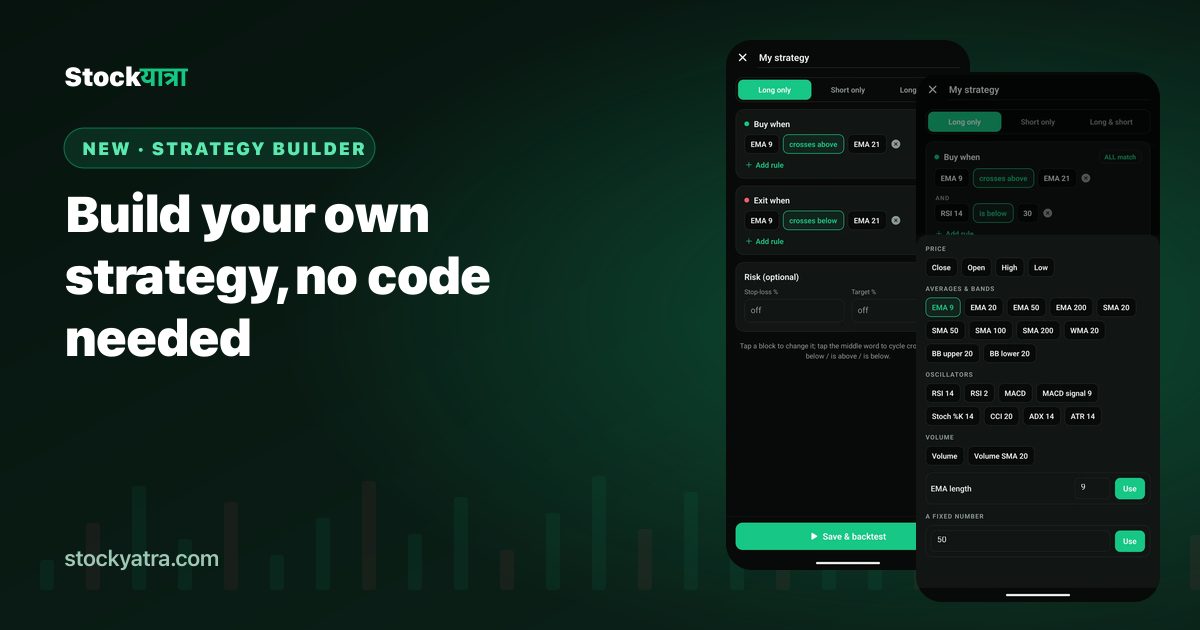
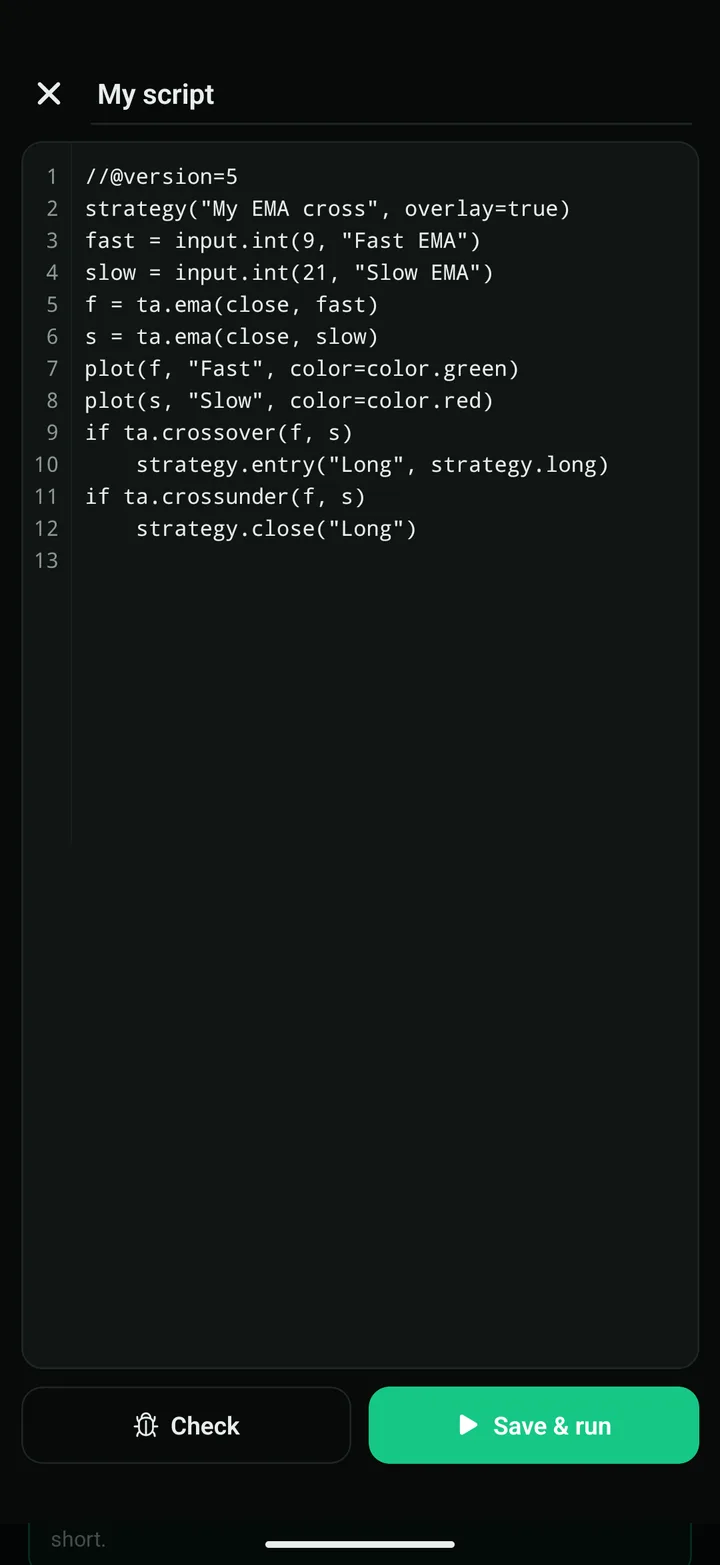
- Build your own from rules like "EMA 9 crosses above EMA 21", with no code.
- Pine Script: write a script on your phone, or start from 15 ready-made ones.
Every run draws Buy and Sell arrows on the chart and shows a backtest card: net return against buy and hold, win rate, profit factor, max drawdown, average trade and time in the market, with 0.1% fees on each side. How to read a backtest.
2. My Analysis: a report card for your own trading
My Analysis used to show four numbers. It now reads every trade you have closed and gives you a trader score out of 100, an equity curve with drawdown, the last 14 days, wins and losses by direction, results by stock, your best weekday and hour, how long you hold, how your trades closed and plain-language insights such as "your long trades win 66% of the time, your shorts 58%". See every chart explained.
3. Global chat is back
Community now has three tabs again: Global, a live floor for verified members with a pinned message, polls and @mentions; Posts, for longer community posts; and Chats, for friends and private messages. Unread badges sit on all three, and you can long-press a Global message to turn it into a post. Why we brought it back.
4. 157 courses in three languages
The Academy grew from 57 to 157 courses and 517 lessons across learning paths from foundations to derivatives. Language chips on the Learn tab switch every course to English, नेपाली or हिन्दी at once; 140 courses are already in all three. Courses and quizzes are free to start. Meet the new courses.
5. A lighter, calmer app
- Home has one swipeable card for Open Positions, Watchlist, Heatmap, Market Pulse and Movements. It shows your country's market: NEPSE in Nepal, NSE in India, US stocks elsewhere. Empty tabs show a button to get started.
- Quick buttons on Home are now Coins, Alerts, IPOs and Live (real NEPSE data, view only).
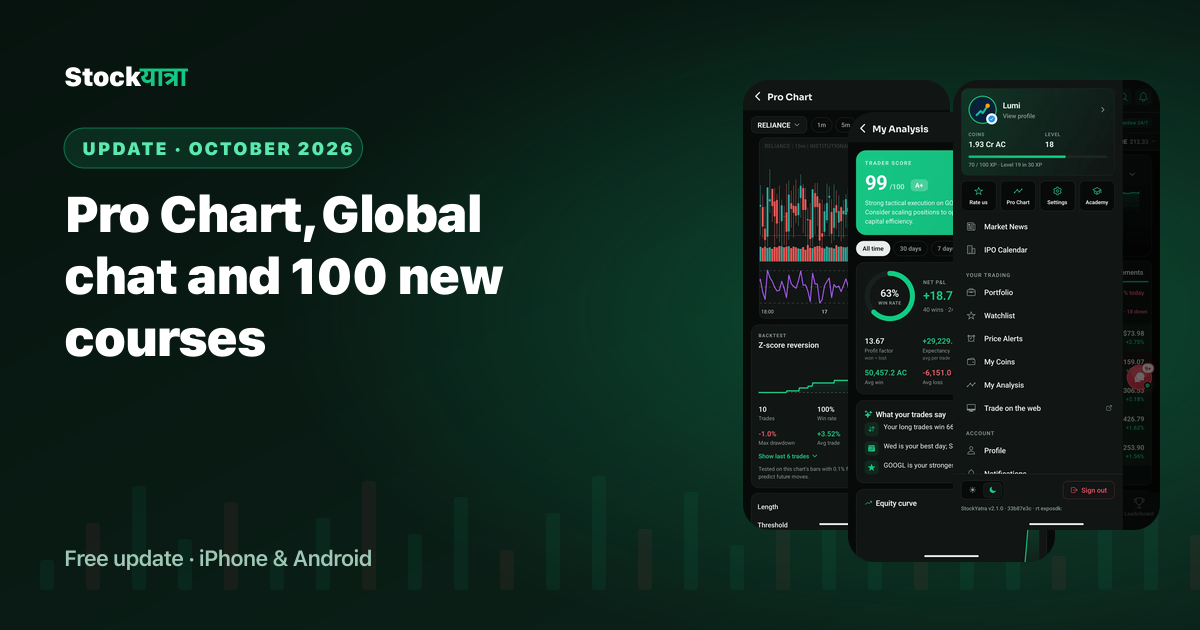
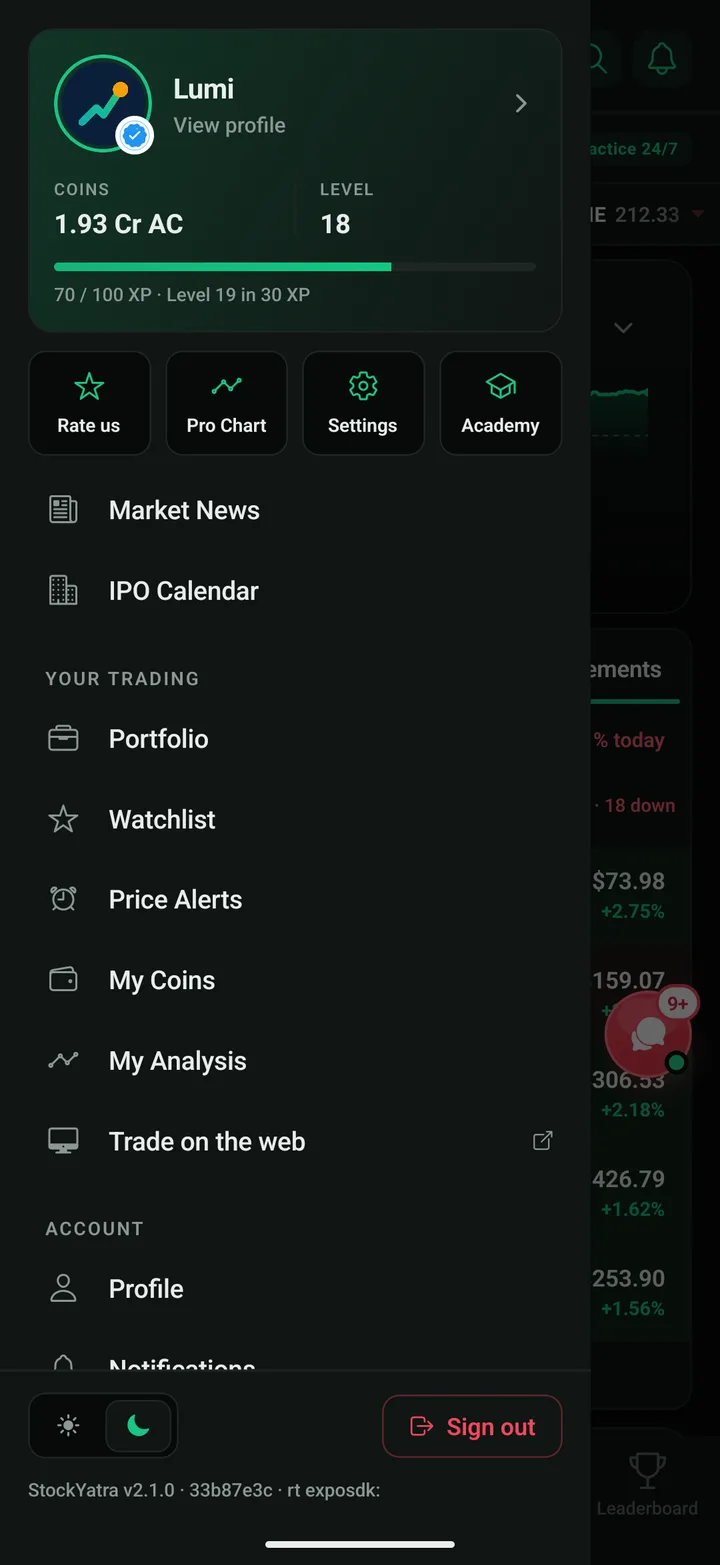
- A new side menu with your coins, level and XP on top and tiles for Rate us, Pro Chart, Settings and Academy.
- Lakh and crore: big numbers read 18.71 L or 1.93 Cr everywhere, so cards never wrap.
- Design: lighter type, smaller numbers on Portfolio, a deeper dark mode, and red and green only.
6. Trading that feels like the real thing
- Market, Limit and Stop orders, with waiting orders in a new Orders tab you can cancel.
- Beginner, Trader or Pro mode in Settings. Beginners see fewer options and no leverage.
- Trade journal: note your setup, mood and lesson on each trade.
- Returns leaderboard: top traders by return on the money they put in, not by coin balance.
- A real NEPSE heatmap on the Live NEPSE screen, and key stats on every stock page.
Key takeaways
- Pro Chart tests 41 strategies, your own rules or Pine Script on any chart, with fees.
- My Analysis turns your closed trades into a score, curves and habits.
- Global chat is back beside Posts and Chats.
- 157 courses and 517 lessons in English, Nepali and Hindi, free to start.
Summary in Nepali (नेपालीमा सारांश)
StockYatra को अक्टोबर अपडेटमा Pro Chart (४१ रणनीति, आफ्नै नियम र Pine Script, सबैको ब्याकटेस्ट), My Analysis रिपोर्ट कार्ड, फेरि Global च्याट, र अंग्रेजी, नेपाली र हिन्दीमा १५७ कोर्स र ५१७ पाठ थपिएका छन्। एप खोल्दा अपडेट आफैँ आउँछ।
Get the update
StockYatra is free on the App Store and Google Play. Already installed? The October update arrives automatically the next time you open the app. You start with 10,000 free virtual coins; prices are simulated and coins are never real money.
More from the October update
- Pro Chart: 41 strategies, backtested on your chart
- Pine Script in the StockYatra app
- Build your own trading strategy without code
- My Analysis: your trading report card
- Global chat is back
- 100 new courses in English, Nepali and Hindi
- Pro Chart: all 41 strategies
- Full changelog
StockYatra is an education app, not a broker or adviser. Prices on its practice market are simulated around each stock's real-world level, coins are virtual, and nothing here is a recommendation to buy or sell any security. Backtests describe the past and do not predict future results.